
 Marketing automation for publishers
  Automate recruitment communication
  Keep customers informed automatically through transactional email
  Deliver more relevant communication with personalized emails
  Create engaging emails with ease
  Make sure your emails reach the inbox with reliable deliverability
  Send at scale without limits
  Keep your customer data secure in Europe
  Reach customers at the right moment with automated communication
  Create seamless customer journeys that convert
  Turn customer data into actionable campaigns
  Combine SMS and email for greater impact
  Turn website visitors into customers
  Make every customer interaction more relevant with personalization
  Email editor
 Push notifications
 Layered database
 Testing mailings
 REST API/Webhooks
 Website crawler
 Coupons
 GDPR compliancy
 Web based dashboard
 Advanced queuing
 Large volumes of email
 Full control and logging
 White papers
 Documentation
 Trainings
 Need more help?
 Our team
Field conditions now directly in the trigger of a follow-up action
by Chloë van der Woude
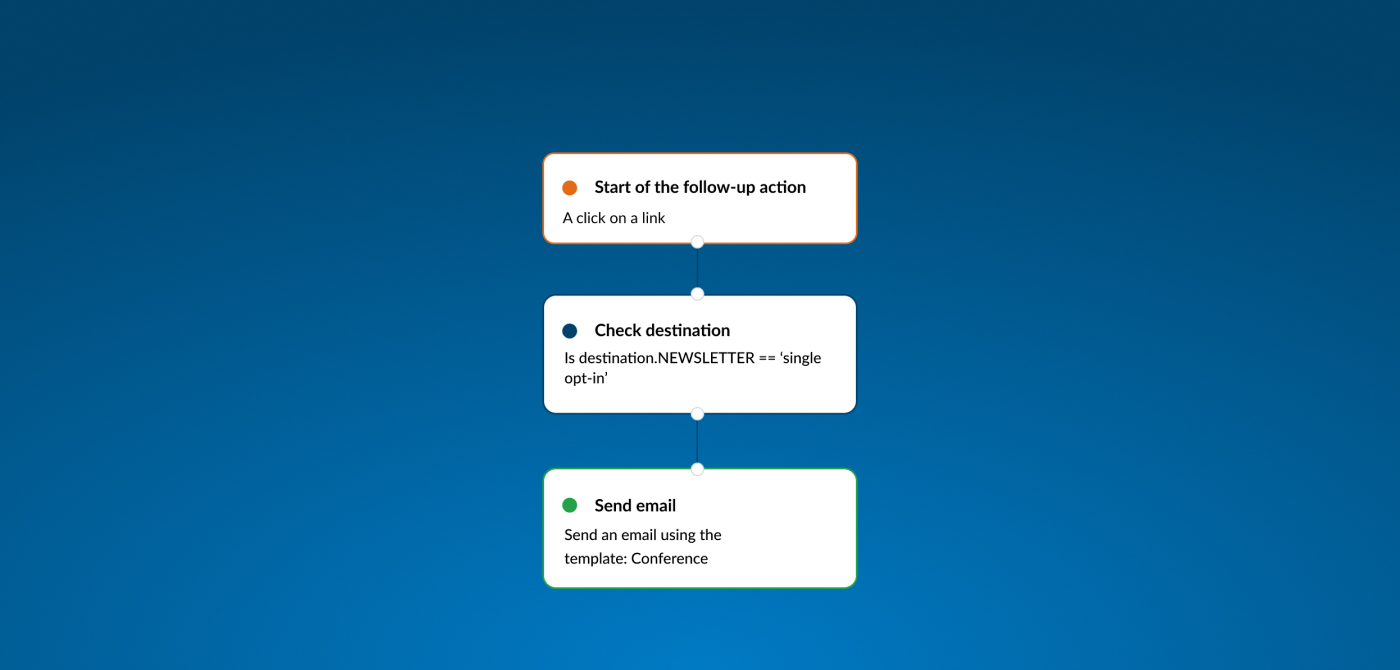
From now on, you can perform checks on a contact’s or customer’s data in the Marketing Suite in a single step. This can be done directly in the trigger of a follow-up action. This makes it easier and faster to set up follow-up actions. It helps you maintain oversight in your automations and reduces the number of steps required.
The follow-up editor is a central part of the Marketing Suite that allows marketers to set up automations. Think of automatically sending emails, updating customer information, or activating follow-up steps based on certain actions, such as clicking a link or opening an email. Previously, you had to combine multiple elements for this: first a trigger box, then a condition box, and only after that the actions you wanted to perform.
With this new update, you can immediately check whether a field has been modified or meets a specific condition. This reduces the number of blocks needed and makes management more streamlined.
We’re here to help
Do you have questions or suggestions about these new updates, or do you often run into specific issues yourself? Feel free to contact our supportteam.