
 Marketing automation for publishers
  Automate recruitment communication
  Keep customers informed automatically through transactional email
  Deliver more relevant communication with personalized emails
  Create engaging emails with ease
  Make sure your emails reach the inbox with reliable deliverability
  Send at scale without limits
  Keep your customer data secure in Europe
  Reach customers at the right moment with automated communication
  Create seamless customer journeys that convert
  Turn customer data into actionable campaigns
  Combine SMS and email for greater impact
  Turn website visitors into customers
  Make every customer interaction more relevant with personalization
  Email editor
 Push notifications
 Layered database
 Testing mailings
 REST API/Webhooks
 Website crawler
 Coupons
 GDPR compliancy
 Web based dashboard
 Advanced queuing
 Large volumes of email
 Full control and logging
 White papers
 Documentation
 Trainings
 Need more help?
 Our team
Display forms as a slide-out bar
by Chloë van der Woude
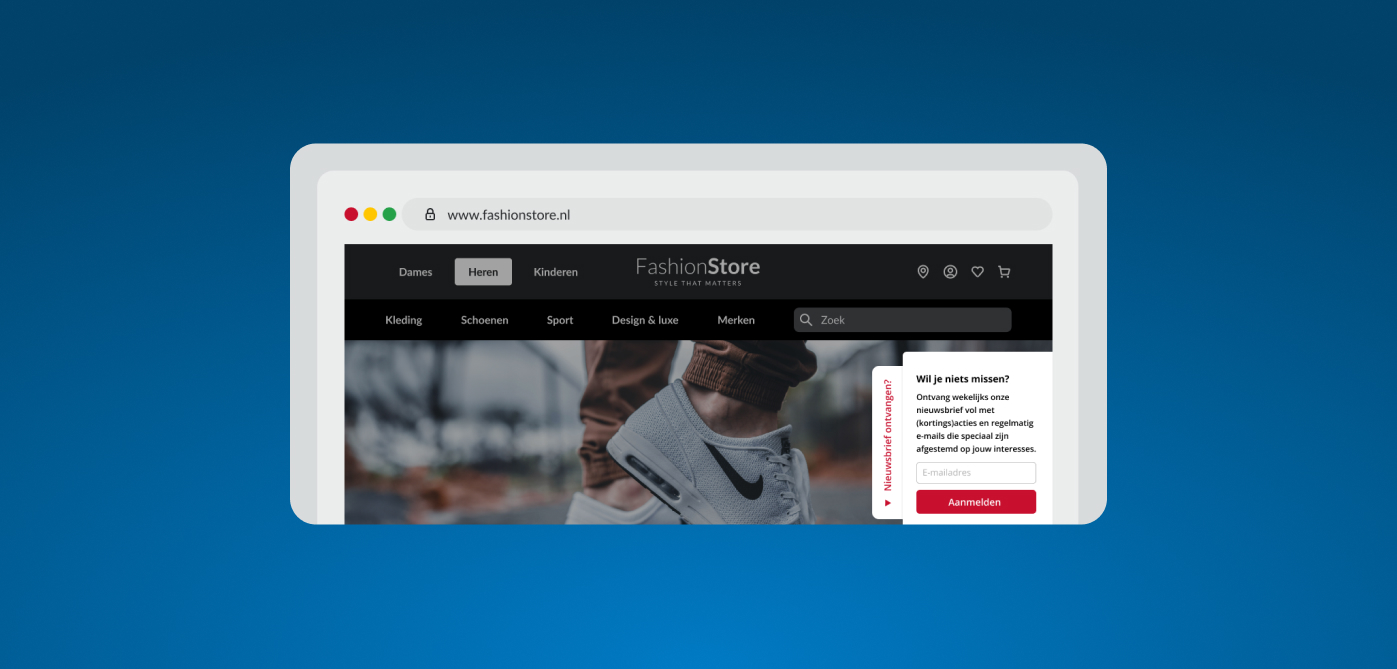
With Copernica, you can now also display forms as a slide-out bar. A narrow bar first appears at the edge of the screen. When clicked, the form slides into view.
This allows you to choose exactly where the bar is displayed, such as on the left or in the top-right corner of the screen. You can also decide which text is visible in the narrow header. This way, you can subtly draw attention to forms without them immediately taking over the screen.
Forms based on website behavior
You can now also display forms based on the behavior of your website visitors. For example, has someone viewed a product on your website? This information can then be directly included in the form that visitor sees. Please note that to use this feature, you need the latest version of the website tracker (version 4). At Copernica, we can help you set this up.
We’re here to help
Do you have questions or suggestions about these new updates, or do you often run into specific issues yourself? Feel free to contact our supportteam.